Web apps & dashboards
Client portals, inventory tools and dashboards built around how your team works. We agree the features, hosting and production requirements before development.
Connect your tools, organise leads and reduce repetitive work. I build AI automations, custom dashboards and client portals for small businesses and agencies.
For small businesses and agencies that need practical development support, with a clear scope and a working handover.
Client portals, inventory tools and dashboards built around how your team works. We agree the features, hosting and production requirements before development.
Connect forms, spreadsheets, email and APIs. Reduce repetitive data entry and keep the steps in your workflow connected.
Get help with a broken feature, integration or unfinished web project. Share the problem so I can inspect it and agree on the next steps.
Start with AI automation and lead-management projects, then explore interactive web app demos. Each example explains the workflow, tools and current scope.
A lead-processing workflow that extracts inquiry details, qualifies the lead, records the information in Google Sheets and sends a confirmation through Gmail.
Portfolio automation. Client deployments require their own credentials, configuration and validation.
Watch the project demonstration ↗ · View repository ↗An n8n customer-support assistant combining a chat interface, company knowledge retrieval and conversation memory with tools for recording leads and sending email.
Focus: conversational support and knowledge retrieval. The Lead Management project above focuses on structured lead processing. Portfolio evidence; live integrations need their own credentials and validation.
Explore the project & source ↗A lead-recovery workspace that organises imported enquiries, identifies stale opportunities and helps a service team decide what to follow up next.
V0.9.0 portfolio prototype. Source and setup instructions are available; no public live demo is linked. This is an owner workspace, with multi-tenant SaaS outside the demonstrated scope.
Explore the project & source ↗A browser-based workspace demonstrating how a small team could track clients, projects and quotations in one interface.
Prototype: browser-local storage; no authentication or shared database. Production development is separately scoped.
Try the client portal ↗An inventory and sales demonstration for a fictional retailer, connecting stock movements with simple business reporting.
Demo: fictional data stored locally in the browser. No shared backend, user accounts or accounting reconciliation.
Try the inventory workspace ↗An interactive calculator that turns an annual gross salary into an estimated take-home amount, with the calculation steps visible.
Prototype with an Italian interface, using a simplified 2026 Milan employee scenario. Estimates only; actual payroll depends on personal and employment circumstances. Independent portfolio exercise; no affiliation with Jet HR.
Try the salary calculator ↗Featured automation case study
A tested staging workflow that captures Gmail customer enquiries, processes them with n8n, and records leads in a Cloudflare-backed dashboard.
Demonstration only: 24/7 hosting, other social channels and automated replies are not included in this verified test.
Watch demo & read case study →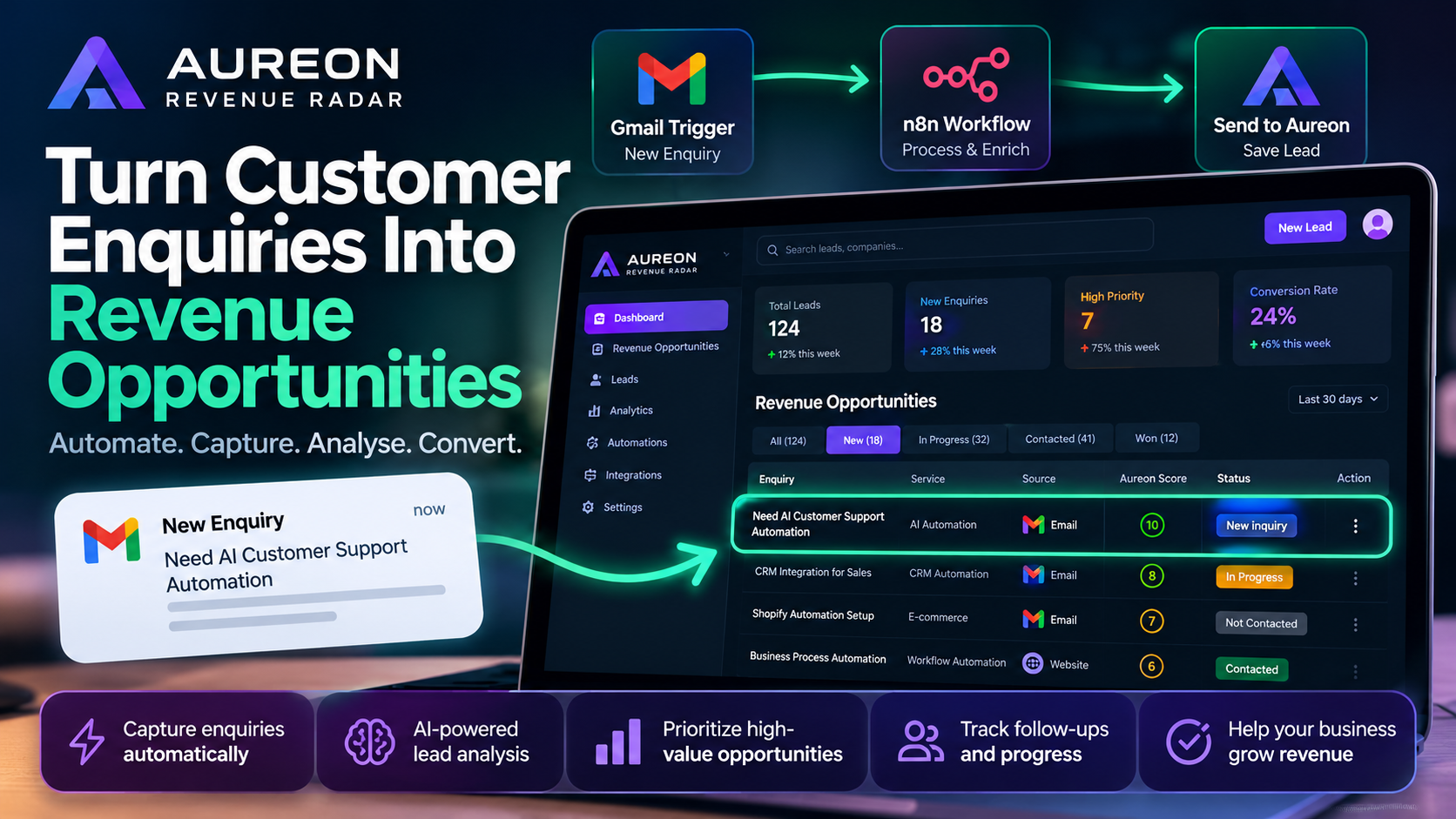
Share the task, current tools and expected result. We establish what needs to work and what is outside the scope.
Review a working version, test the agreed behaviour and resolve issues before the final handover.
Receive the agreed source code and setup notes. Hosting, credentials and ongoing support are discussed before delivery.
The quote depends on the features, integrations and hosting you need. Send a brief and an optional budget range. I’ll review the requirements before proposing a price and delivery plan.
Yes. Open the Northstar, StockPilot and Salary Calculator demos above, or watch the Aureon lead-management video. Northstar and StockPilot use fictional browser-local data; the calculator uses a simplified salary model. These are portfolio demonstrations.
No. Describe the task that takes too much time, what tools you use and the result you want. We can use that to define a practical first scope.
Your enquiry is reviewed, any missing requirements are clarified and the scope, price and timeline are agreed before work begins. Submitting a brief does not confirm a booking or require payment.
Share your idea or the problem you’re trying to solve. A short, clear brief is enough to start the conversation.